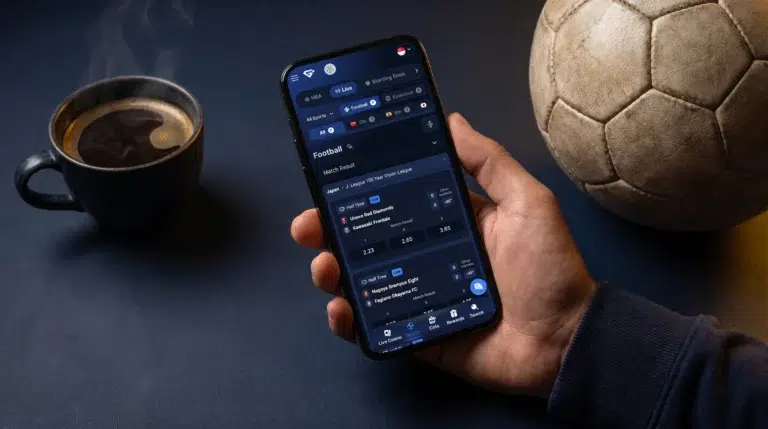
 We take the convenience of our players and bettors seriously, and that’s why we developed Android and iOS apps for our users.
With our GemBet smartphone apps, you can access our casino, sports betting, live betting, slots, promotions, and account tools directly without needing a desktop computer.
Our smartphone apps for iOS and Android users are lightweight, fast-loading, and have excellent navigation just like our website. Y
ou can even install it directly on your home screen, and it doesn’t matter which smartphone operating system you have.
Whether you choose to install the apps or add to your home screen, you’ll be able to access all that you require, from bonuses to gameplay to sports betting, your account balance, history, depositing, and much more.
There is no bigger reason to use our GemBet mobile app than convenience. Using our app, you can easily jump from playing crash games to placing bets or claiming bonuses on Gembet in minutes.
The GemBet download grants you access to:
As you can see, our mobile platforms allow you to do more than just play games or place sports bets. We’ll show you how to get our app below.
To install our mobile apps safely, you must use our official website or official link. For Android users, there’s an APK file that can be downloaded directly, and for iOS users, they can use the official App Store to get the app.
Furthermore, there’s the option to install our app on your home screen using one-tap access. Below is how you can install our app on your Android phone.
 Here is how you can install the GemBet APK app on your Android device:
If you don’t wish to install the Android APK file, you can still get GemBet download installed on your home screen. First, you need to click on your browser menu (it's best to use the Chrome browser) and click on Add to Home Screen. Doing this provides you with a quick way to access the mobile website.
The GemBet Android app is lightweight, and below are its specifications for compatible Android devices:
As with all technologies, newer versions of Android phones with 4G, 5G, or Wi-Fi connections are expected to be better for casino gameplay, live casino streaming, and sports betting.
Unlike Android phones, installing the GemBet iOS app is straightforward. Follow these steps to install it on your iPhone or iPad:
If you don’t wish to install the Android APK file, you can still get GemBet download installed on your home screen. First, you need to click on your browser menu (it's best to use the Chrome browser) and click on Add to Home Screen. Doing this provides you with a quick way to access the mobile website.
Similar to the GemBet Android app, our iOS app is also lightweight, and below are its specifications for compatible iOS devices:
The GemBet mobile app ensures that our sportsbook and casino functions are always within reach. We’ll briefly list some features available in our mobile apps for each of our products.
Sports Betting: On our mobile apps, you can browse events and place sports bets. We support System, Single, and Combo bets and also have the bet builder feature, which you can use.
Sports Live Betting: On our mobile apps, you can follow live bets, watch the odds as they update with the event progress, and see stats and active bets in the 'My Bets’ section.
Casino: Players can move from the live casino to slots, crash games, Mahjong, and other game categories we offer on our mobile platform.
Account Tools: You can access tools from our mobile apps. Users can check their account balance, deposit, withdraw, participate in Gembet promotions, access account security, and manage account details, etc.
There are other features you can use with our mobile app, so be sure to check them out once you use the GemBet app.
When you have your GemBet download, Iit is important to always keep your mobile version updated to make sure the app stays compatible with your devices, has stronger security, and gets the latest features.
To update your GemBet APK app, always check our official download page to see if there’s a newer version of the app available. For the iOS app, you can open the app on the App Store, and you’ll be shown if there’s an update.
If you visit GemBet or prefer to use the home-screen shortcut, you don’t have to download anything manually. To get the latest web version, just reload the platform, and you’re set to go.
If your installed GemBet app does not open or work properly, try these basic checks:
If the issue remains after these checks, contact our support team through live chat and provide your device model, operating system version, and a description of the problem.
Of course, the GemBet download is free. There’s no separate fee to download or access our mobile platform.
Yes. You use your normal GemBet login details. Furthermore, you can use the Google sign-in option if your account is linked to Google.
No, the iPhone uses iOS, and that means it can never accept Android APK files natively.
Yes, you can place a live in-play bet via our mobile apps. Our mobile apps contain the sportsbook and available in-play markets as well as your Bet Slip and My Bets area.
No. Installation of an additional app is unnecessary; our mobile website can be accessed through a compatible browser. Additionally, it is possible to add the website to your home screen to facilitate faster access.
Always download from our official GemBet page. Steer clear of unofficial APK repositories and files transferred via unidentified websites or emails.

